DHI Orbit is free and open source. Support its development:



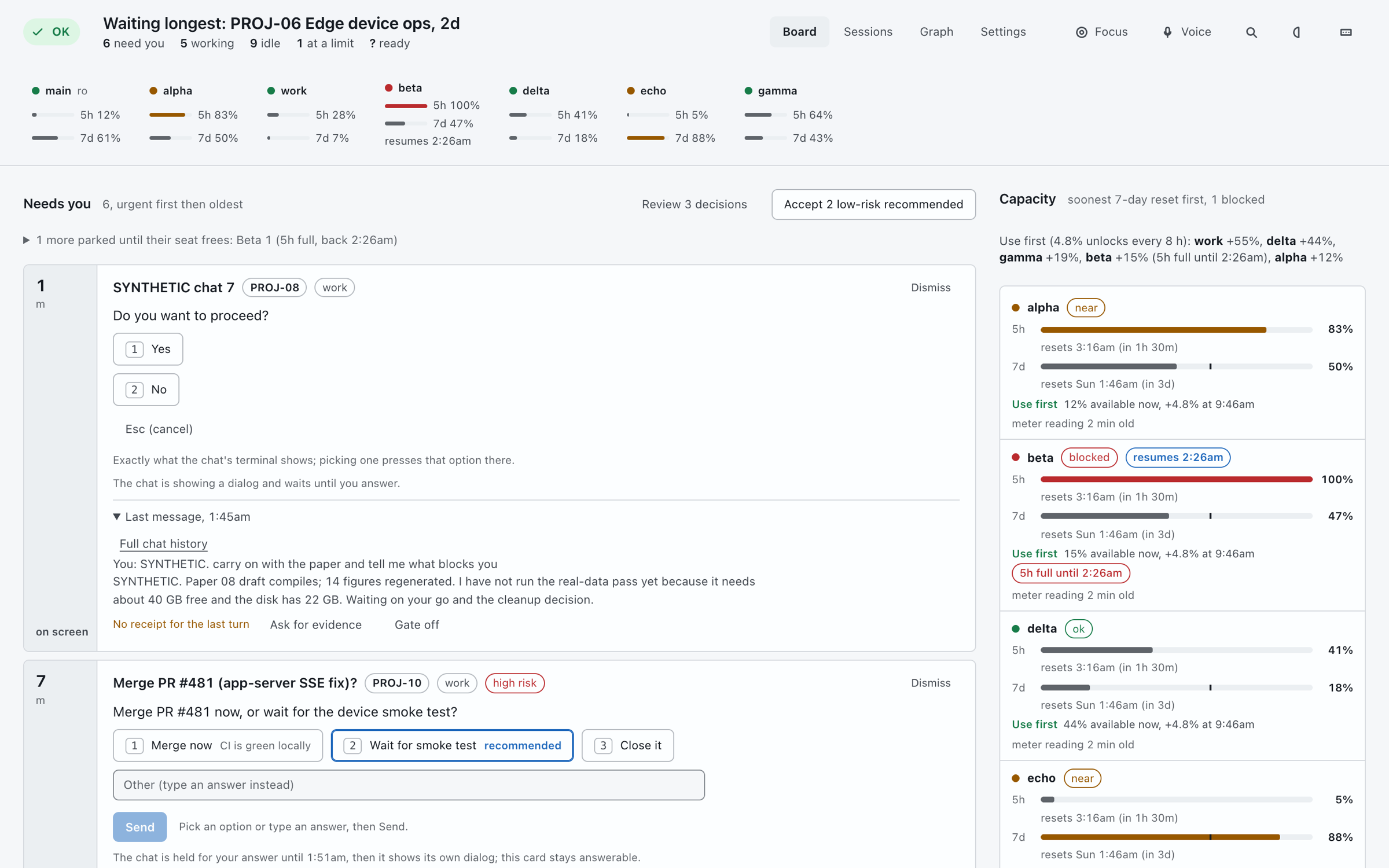
See which chat is waiting on you, what is working, and each account's 5-hour and 7-day limits. Reply from the page. It runs on your own computer, costs zero model tokens to look at, and is open source.
brew install Dv04/dhi-orbit/dhi-orbit
dhi-orbit
pipx install dhi-orbit
dhi-orbitpython3 -m pip install dhi-orbit
dhi-orbitThen open http://127.0.0.1:8787/. Python 3.10 or newer, and at least one supported agent. macOS and Linux; Windows is in beta.
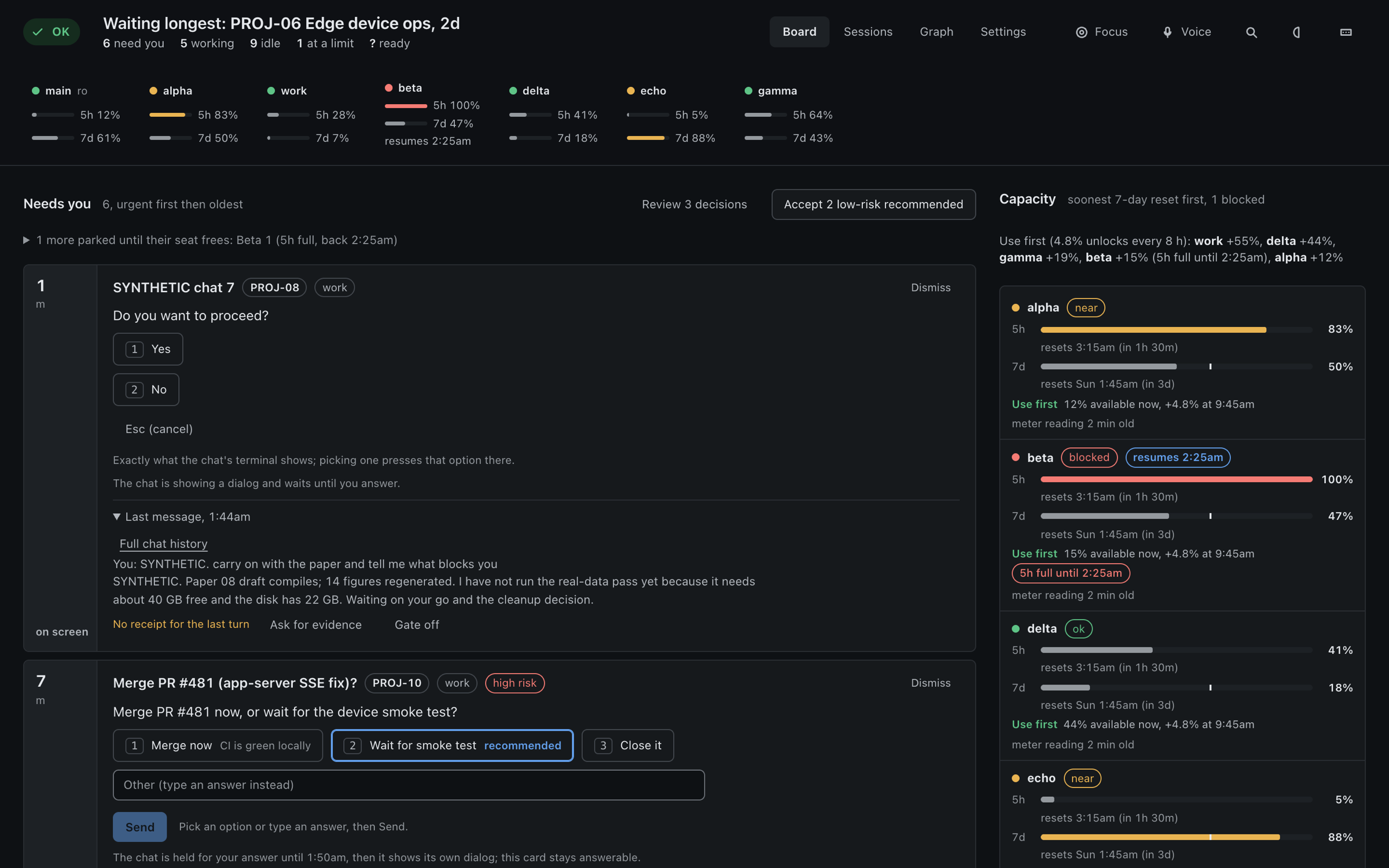
Chats from every tool sit in the same lists, labelled with the tool's name. Anything else with a command line can be added with a small agents.json, no code.
Questions, permission prompts, blocked jobs and chats stalled on a limit, oldest and most urgent first.
Answer a prompt with the same options the terminal shows, or type a reply. Background chats take replies too.
5-hour and 7-day usage per account. When there is no reading it shows "?", not 0%.
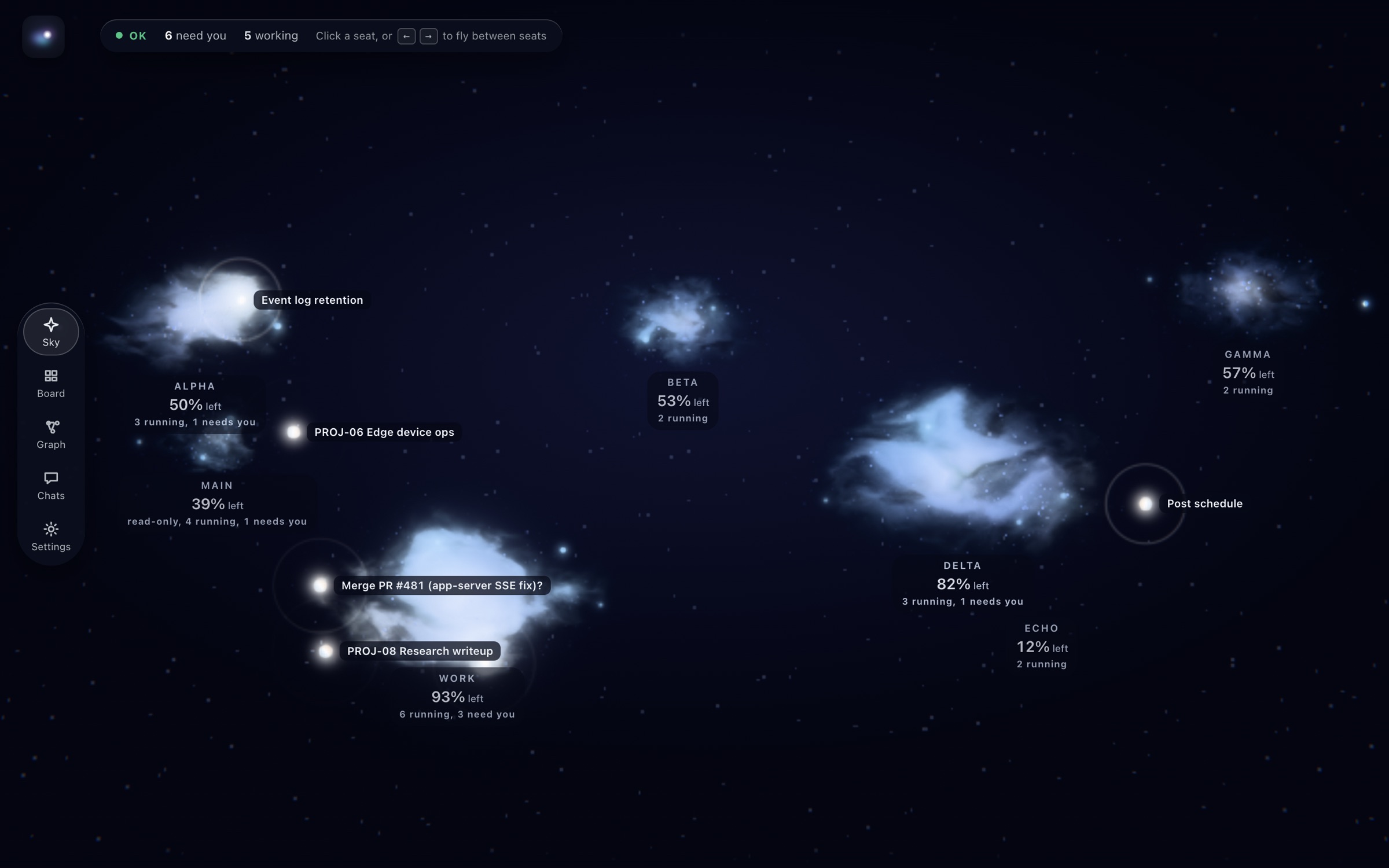
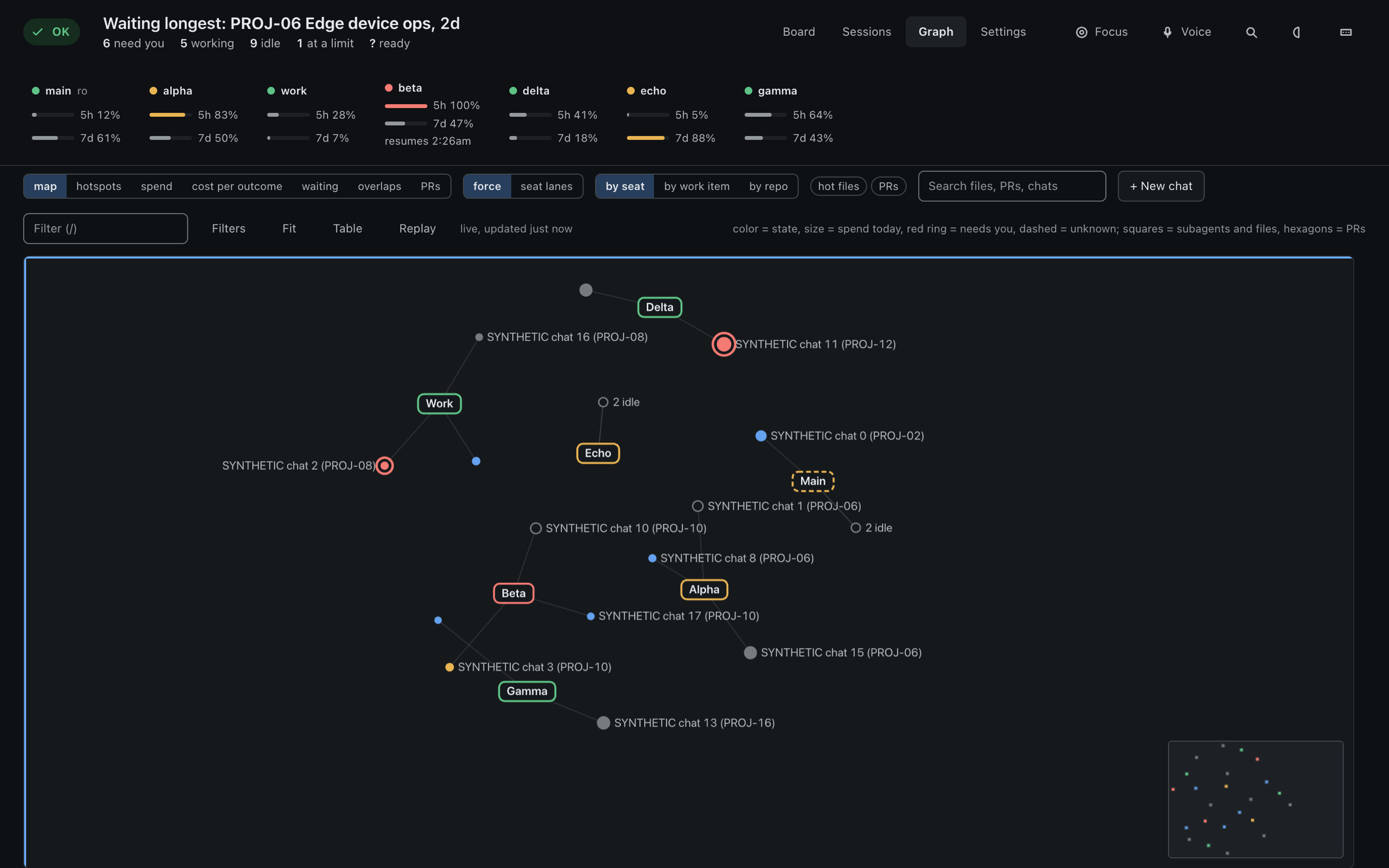
Accounts, chats, work items and the files they touch, plus an optional nebula look for a second monitor.
Binds to 127.0.0.1, every call needs a local token, no hosted version. Standard library only, no build step, no CDN.
Viewing only reads files. A reply you send is one normal turn in that chat, through the agent's own CLI.
Synthetic demo data, no real chats.
DHI Orbit is MIT licensed and stays free. If it saves you time, you can support its upkeep through GitHub Sponsors, PayPal or Venmo. Questions and ideas go to GitHub Discussions.